Step-by-step guide
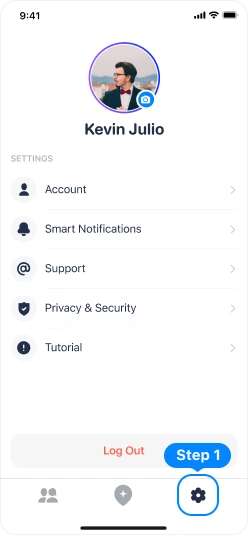
Tap “Settings” icon on the tab bar
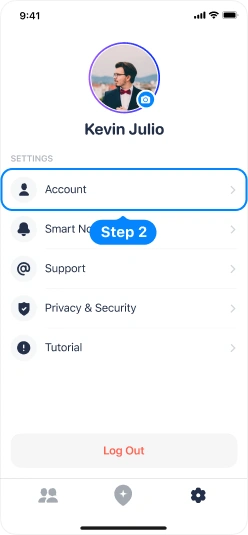
Tap “Account” button
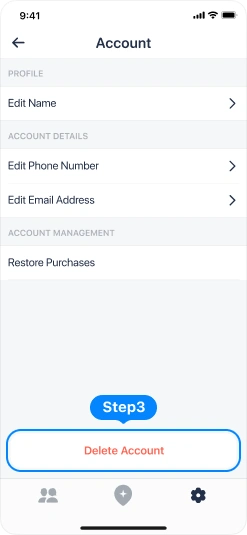
At the very bottom, find the “Delete Account” button
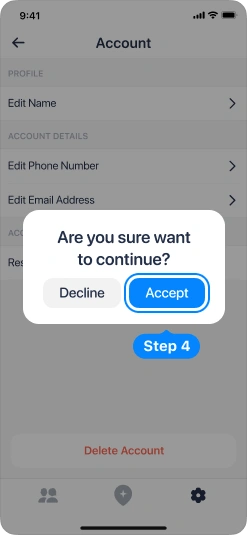
Confirm the action on the popup that appears
Your account was successfully deleted!